Most small Shopify merchants discover they need a WMS the hard way — after an oversold order, a customer complaint about a stockout that Shopify didn't flag, or a stock count that reveals their Shopify numbers have drifted significantly from physical reality.
This guide cuts through the noise. Here is what actually matters when choosing a WMS for a small Shopify operation, what each tool is genuinely built for, and how to match your situation to the right choice.
What a Shopify WMS actually needs to do
Most WMS buying guides list features. This one starts with the operational problems those features are meant to solve — because small Shopify warehouses do not need every feature, they need the right ones.
Receive stock accurately
Every unit that enters your warehouse without being correctly received is a future inventory discrepancy. A Shopify WMS should let your team receive deliveries against purchase orders, scan each unit as it arrives, flag quantity mismatches immediately, and update Shopify inventory at the point of scan — not at end of day.
Without this, receiving errors compound silently until a stock count reveals the damage.
Know where every SKU lives
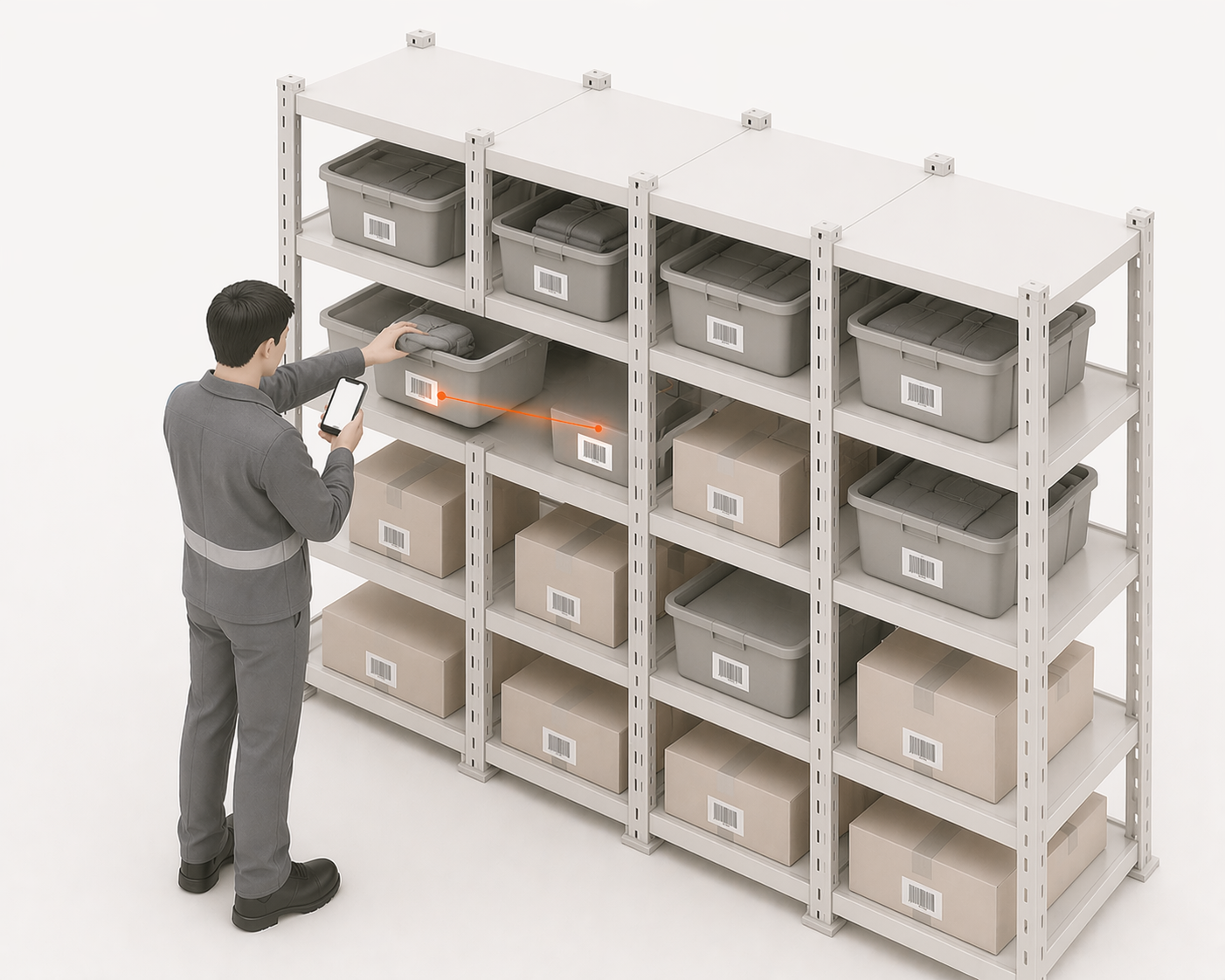
Shopify tells you how many units you have. A WMS tells your team where they are. Bin-level location tracking means any operator can find any product without asking a colleague, without memorising shelf positions, and without slowing down the pick process.
For small teams, this is often the single highest-impact feature — because time spent searching is time not spent picking.
Verify every pick before it ships
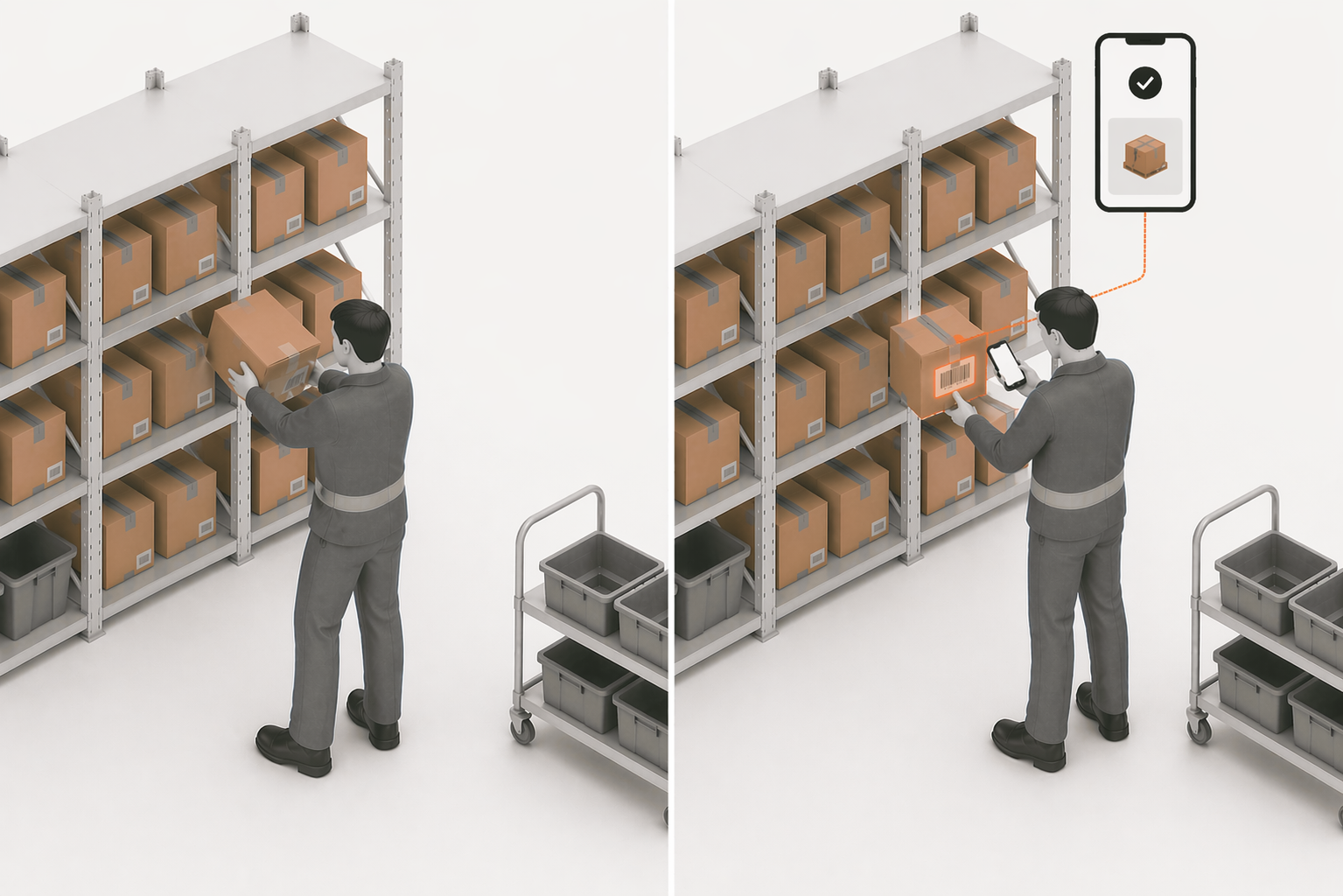
The highest-leverage mistake-prevention step in any warehouse is scanning the barcode of every item before it goes in the box. A WMS should enforce this — not as an optional step but as the only path forward. If the scanned item does not match the order, the pick is rejected before the wrong product ships.
This single step eliminates wrong-item errors, wrong-variant errors, and most of the pick mistakes that generate returns and support tickets.
Process returns immediately
Returns that accumulate unprocessed become ghost inventory — units that exist physically but not in Shopify. A WMS should force a decision on every return at the point of arrival: resaleable or not. If resaleable, Shopify increments immediately. If not, the unit moves to a write-off area without polluting available stock.
Make the next action obvious
The best WMS for a small Shopify warehouse is not the one with the most features. It is the one that makes the right next step obvious to the operator doing the work — whether that is which orders to pick, which deliveries to receive, which returns to process, or which SKUs are approaching stockout.
Complexity that requires training to navigate is complexity that slows your team down.
What "Small Business" Actually Means for WMS Selection
Before comparing tools, be precise about your situation. The WMS market segments sharply by scale:
- Simple owner-operated fulfillment: Shopify native tools may be sufficient when stock is easy to see, receiving is simple, and manual checks still work.
- Small warehouse team: A Shopify-first WMS becomes more useful when multiple people receive, pick, pack, return, or adjust stock and need the same operational process.
- Growing warehouse complexity: Dedicated warehouse control matters when bins, barcode workflows, stock counts, receiving discrepancies, and traceability become hard to manage manually.
- High-volume multichannel operation: Multichannel or shipping orchestration tools become more relevant when Shopify is only one part of the commerce operation.
- ERP/manufacturing-heavy operation: Broader inventory, ERP, manufacturing, or retail operations platforms become relevant when warehouse execution is only one piece of a larger business-system requirement.
LaSyncro publishes this guide, and LaSyncro is one of the products compared below. Factual product and pricing details are separated from our fit assessment where possible; time-sensitive pricing and product information should be checked against vendor-owned sources before a buying decision.
How We Evaluated These Shopify WMS Options
Each option is evaluated against the same practical dimensions: Shopify integration, receiving, bins and warehouse locations, barcode workflows, pick and pack execution, traceability, multichannel capability, ERP and manufacturing depth, implementation complexity, pricing model, best-fit operation, and meaningful limitation.
This is not a laboratory benchmark, and LaSyncro has not necessarily hands-on tested every competing product. Product and pricing facts are based on available vendor documentation and are subject to change. Fit assessments are editorial judgments based on the operational criteria above.
Pricing and product notes were checked against vendor-owned sources where possible on August 27, 2026: Cin7 pricing, Linnworks pricing, Brightpearl pricing, and Veeqo pricing. LaSyncro pricing is checked against our current billing configuration.
| Product | Best fit | Warehouse execution | Multichannel | ERP / manufacturing | Setup complexity | Pricing |
|---|---|---|---|---|---|---|
| LaSyncro | Shopify-first warehouse execution | Receiving, pick/pack/stow, barcode workflows, returns, supplier-related capabilities | Shopify-first; not positioned as broad marketplace orchestration | Not positioned as an ERP or manufacturing platform | Lightweight Shopify OAuth onboarding | Starter free; paid plans from $79/month |
| Cin7 | Broader inventory, ERP, and manufacturing complexity | Vendor-specific WMS and inventory workflows | Strong | Strong | Higher than lightweight Shopify-first tools | Published tiers from $349/month |
| Linnworks | High-volume multichannel operations | Vendor-specific WMS module | Strong | Not a primary ERP/manufacturing focus in this comparison | Higher; onboarding recommended | Custom/tiered by monthly orders; WMS module pricing depends on orders |
| Brightpearl | Retail operations requiring broader ERP/operations scope | Vendor-specific retail operations workflows | Strong for omnichannel retail | Strong retail ERP/operations depth | Higher; vendor states average go-live in 90-120 days | Tailored/custom pricing |
| Veeqo | Shipping and multichannel-oriented SMB operations | Digital picking and inventory tools; warehouse depth depends on plan | Strong | Limited compared with ERP-oriented platforms | Lower than ERP-oriented tools; plan-dependent | Shipping free; Inventory from $19/month; High Volume from $350/month |
| Shopify native | Simple warehouse and inventory operations | Limited compared with a dedicated WMS | Shopify channel plus native Shopify ecosystem | Not an ERP/manufacturing WMS | Lowest | Included with Shopify; no separate WMS pricing established here |
The Best WMS for Shopify: An Honest Comparison
1.LaSyncro — built for Shopify SMB warehouse operations
Best for
Shopify-first merchants that need warehouse execution around receiving, picking, packing, stowing, returns, barcode scanning, and supplier tracking.
What it does well
LaSyncro connects to Shopify through OAuth and focuses on the warehouse actions that keep Shopify records tied to physical work: PO receiving, pick and pack, stow workflows, barcode scanning, returns, and supplier tracking.
Important limitation
LaSyncro is not the best fit when the merchant primarily needs broad marketplace orchestration, ERP or manufacturing depth, or enterprise-scale multichannel complexity.
Pricing
Starter is free. Paid plans start from $79/month.
Choose it if
Choose LaSyncro if your main problem is Shopify-connected warehouse execution rather than replacing your commerce stack or implementing a broad retail ERP.
Do not choose it if
Do not choose LaSyncro if your primary requirement is marketplace listing orchestration, manufacturing BOMs, multi-entity accounting, or a broad enterprise operations suite.

2.Cin7 — mid-market operations with manufacturing and B2B requirements
Best for
Businesses that need broader inventory, ERP, manufacturing, or B2B operations around Shopify rather than only Shopify-first warehouse execution.
What it does well
Cin7 is positioned as a wider inventory and operations platform, with plans aimed at businesses that need more operational breadth than native Shopify inventory or a lightweight WMS.
Important limitation
That broader scope usually means more setup and process complexity than a merchant needs when the core problem is a simple Shopify warehouse workflow.
Pricing
Published Cin7 plans list Standard from $349/month, Pro from $599/month, Advanced from $1,199/month, and Omni as contact/vendor pricing.
Choose it if
Choose Cin7 if your operation needs broader inventory control, manufacturing or assembly support, wholesale/B2B workflows, or ERP-like operational depth.
Do not choose it if
Do not choose Cin7 if you only need Shopify-first receiving, bin discipline, barcode execution, and pick/pack control without the surrounding operations platform.
3.Linnworks — high-volume multichannel retailers
Best for
High-volume retailers that need multichannel commerce operations and marketplace/channel orchestration around Shopify.
What it does well
Linnworks is positioned around centralising operations across multiple channels and marketplaces, with WMS module availability for warehouse workflows.
Important limitation
Linnworks carries more implementation and commercial complexity than lightweight Shopify-first warehouse tools, especially when marketplace orchestration is not the main requirement.
Pricing
Pricing is custom/tiered based on monthly orders. Onboarding is recommended and carries a one-off fee; WMS module pricing is order-dependent.
Choose it if
Choose Linnworks if Shopify is one channel in a wider marketplace operation and you need channel orchestration, order routing, and multichannel inventory control.
Do not choose it if
Do not choose Linnworks if your primary requirement is a focused Shopify warehouse workflow for receiving, bins, barcode picking, packing, and traceability.
4.Brightpearl — omnichannel retail with ERP requirements
Best for
Retailers that need a broader retail operations or ERP platform across omnichannel sales, inventory, purchasing, and back-office workflows.
What it does well
Brightpearl is positioned as an operational platform for omnichannel retail, not only a Shopify warehouse tool. Its fit is strongest when warehouse workflows sit inside a wider retail ERP requirement.
Important limitation
Brightpearl's broader implementation scope is reflected in the vendor-stated average go-live of 90-120 days, which may be more process than a merchant needs for Shopify-first warehouse execution.
Pricing
Pricing is tailored/custom.
Choose it if
Choose Brightpearl if your operation needs omnichannel retail operations and ERP depth around Shopify, stores, purchasing, inventory, and fulfilment.
Do not choose it if
Do not choose Brightpearl if your immediate problem is warehouse execution in a Shopify-first operation and you do not need a wider retail ERP rollout.
5.Veeqo — shipping and multichannel-oriented SMB operations
Best for
Merchants that want shipping, multichannel operations, and digital picking/inventory tools around Shopify.
What it does well
Veeqo is positioned around shipping and multichannel operational workflows, with inventory tools and digital picking available depending on plan.
Important limitation
Veeqo is not positioned as the same ERP or manufacturing-depth platform as Cin7 or Brightpearl, and it may not have the same warehouse-execution focus as a dedicated Shopify WMS.
Pricing
Shipping is free. Inventory starts from $19/month, and High Volume starts from $350/month.
Choose it if
Choose Veeqo if shipping and multichannel operations are central to the buying decision, and your warehouse needs fit its plan-dependent inventory and picking tools.
Do not choose it if
Do not choose Veeqo if your main requirement is ERP/manufacturing depth or a dedicated Shopify warehouse-execution system for receiving, bins, barcode work, and traceability.
6.Shopify native inventory — for early-stage operations
Best for
Simple operations where dedicated warehouse execution is unnecessary.
What it does well
Shopify's built-in inventory tracking records stock levels per variant, supports Shopify locations, and keeps inventory close to the order and fulfilment context merchants already use.
Important limitation
Shopify native inventory does not provide the warehouse-execution depth described elsewhere in this article, such as bin-level workflows, scan-based receiving, enforced pick/pack verification, or operational traceability.
Pricing
Included with Shopify; no separate WMS pricing is established here.
Choose it if
Choose Shopify native if fulfilment is simple, physical locations are obvious, and manual inventory checks are still realistic.
Do not choose it if
Do not choose Shopify native as your warehouse system if you need operators to follow controlled receiving, bin, barcode, pick, pack, return, or traceability workflows.
What About Shopify Stocky?
Stocky should not be treated as a forward-looking WMS recommendation in this guide. Shopify says Stocky was delisted from the Shopify App Store on February 2, 2026, and that Stocky will no longer be available after August 31, 2026.
Merchants replacing Stocky should evaluate the same warehouse criteria used here: receiving, stock counts, supplier and purchase-order workflows, barcode execution, pick and pack, traceability, and Shopify integration.
For a dedicated migration angle, see the Stocky alternative comparison.
How to Choose
Use these as fit categories, not absolute rankings:
- Choose Shopify native when physical warehouse execution is still simple and dedicated receiving, bin, pick, pack, or traceability controls are unnecessary.
- Choose LaSyncro when Shopify is the commerce core and the main problem is warehouse execution: receiving, picking, packing, barcode workflows, returns, supplier tracking, and keeping warehouse actions tied to Shopify.
- Choose Veeqo or Linnworks when multichannel or shipping orchestration is central to the operation.
- Choose Cin7 or Brightpearl when broader ERP, manufacturing, retail operations, or business-system depth is required.
The most common mistake small Shopify merchants make is choosing a tool based on brand recognition rather than operational fit. These tools are built for different jobs. The right choice is the one that matches the warehouse and commerce complexity you actually need to control.
WMS requirements by industry
Operational needs differ sharply by vertical. Apparel brands fight variant-level stockouts across size and colour matrices — covered in our apparel inventory guide. Beauty and supplements add batch tracking and expiry dates to the picture — see the beauty and supplements guides. Auto parts merchants deal with fitment verification on every pick — the auto parts guide covers that workflow. And sports and hobby retailers juggle seasonal demand swings with deep SKU catalogues — detailed in the sports and hobby guide.
If your vertical is on that list, the industry guide is the faster read — it covers the specific failure modes a generic WMS comparison cannot.
The Signal That You Have Outgrown Shopify Native
You do not need a WMS on day one. You need one when manual warehouse execution no longer gives you enough control over physical stock:
- Inventory discrepancies require recurring manual reconciliation
- Stockouts are discovered late because physical stock and Shopify records drift apart
- Multiple people touch inventory without a shared receiving, picking, or adjustment process
- Stock counts reveal gaps that are hard to trace back to a physical event
- Pick, pack, return, or supplier workflows need barcode verification or an audit trail
At that point, the decision is not whether a WMS will always pay for itself. The decision is whether the operational risk, error rate, traceability need, or multichannel complexity justifies dedicated warehouse control.
LaSyncro is purpose-built for Shopify-first warehouse execution — receiving, picking, packing, returns, and supplier tracking.
Start free