Most small Shopify warehouses start the same way: one person who knows where everything is, processes every order personally, and holds the entire operation in their head. It works — until a second person joins, or order volume doubles, or the person who knows everything goes on holiday.
The operational chaos that follows is not a staffing problem. It is a systems problem. And it is entirely preventable.
This playbook covers every component of running a Shopify warehouse with a small team — from product location to daily rhythm to the systems that hold it all together. It is written for merchants who have outgrown the one-person operation but have not yet justified enterprise WMS complexity.
Foundation 1 — Product Location System
The first job of a warehouse system is making sure any operator can find any product without asking someone who knows where it is.
1.Zone and bin location structure
Divide your warehouse into zones (A, B, C or by product category) and then bins within zones (A-01-01, A-01-02). Every product has a permanent bin location. The bin location is recorded in your warehouse system and printed on every pick list.
A picker who has never worked in your warehouse before should be able to pick any order correctly by following the bin locations on the pick list — without asking anyone, without memorising anything.
Practical setup for a small warehouse:
- High-velocity SKUs in Zone A, closest to the packing station
- Medium-velocity SKUs in Zone B
- Low-velocity and bulk overstock in Zone C
- Returns processing area clearly separated from active stock
This layout minimises pick travel time for your most common orders while keeping the physical space logical and navigable.
2.Product codes and barcode standards
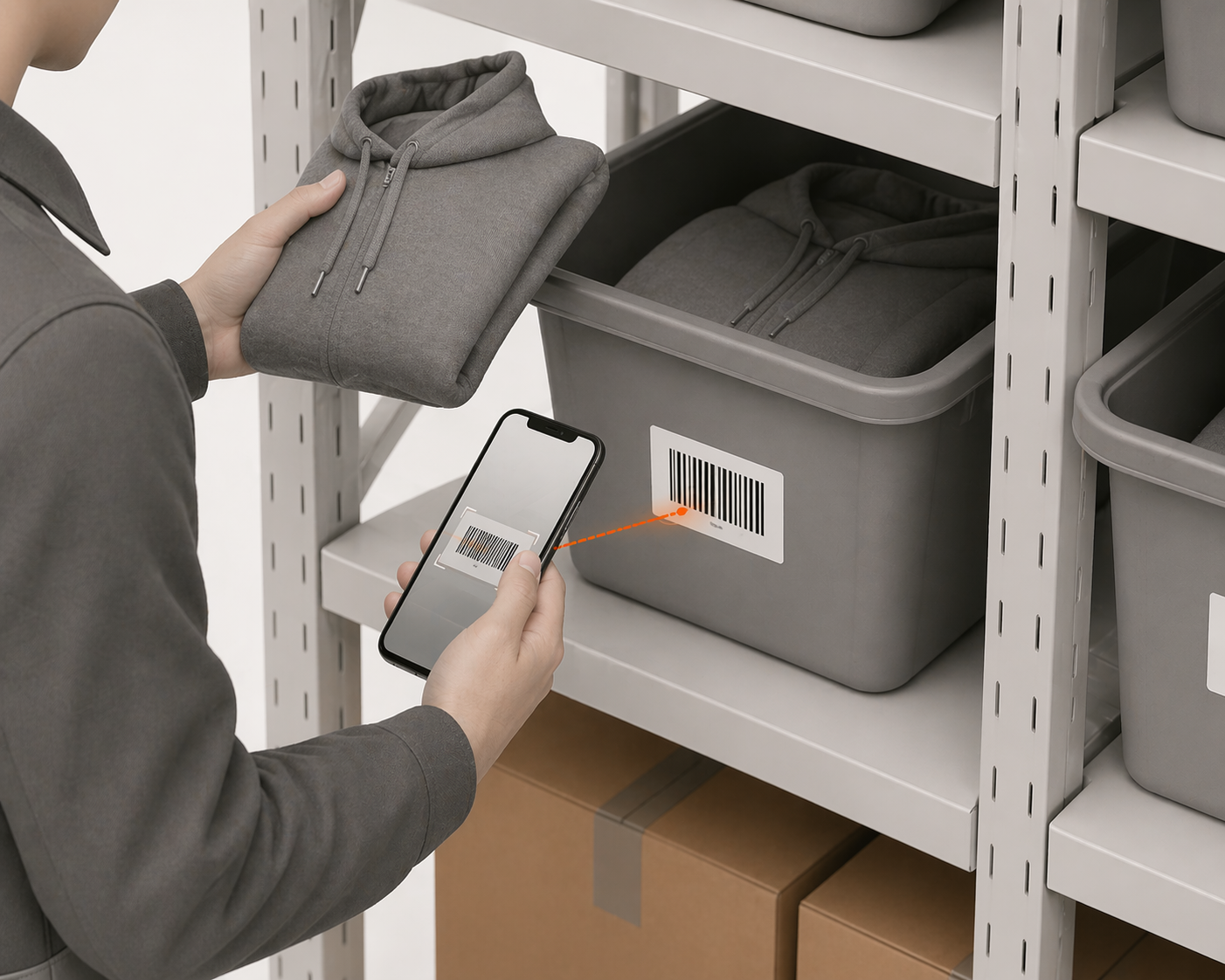
Every product needs a unique, scannable barcode that your warehouse system can verify. For most Shopify merchants, this is the product's existing barcode (EAN, UPC, or ISBN). For products without a barcode, print your own using Shopify's barcode generator and label every unit before it goes to a bin.
The rule is simple: if it cannot be scanned, it cannot be verified. And if it cannot be verified, pick errors will occur.
Foundation 2 — Receiving Process
Every unit that enters your warehouse without being received correctly into Shopify is a future inventory discrepancy. Receiving is where inventory accuracy is either established or lost.
3.Receive against purchase orders, not delivery notes
When a delivery arrives, the instinct is to count the boxes, check the delivery note, and move the stock to shelves. This creates three problems: you have no record of what was ordered versus what arrived, Shopify's inventory updates on a delay, and any discrepancy between ordered and delivered quantity is discovered much later when a stockout reveals the gap.
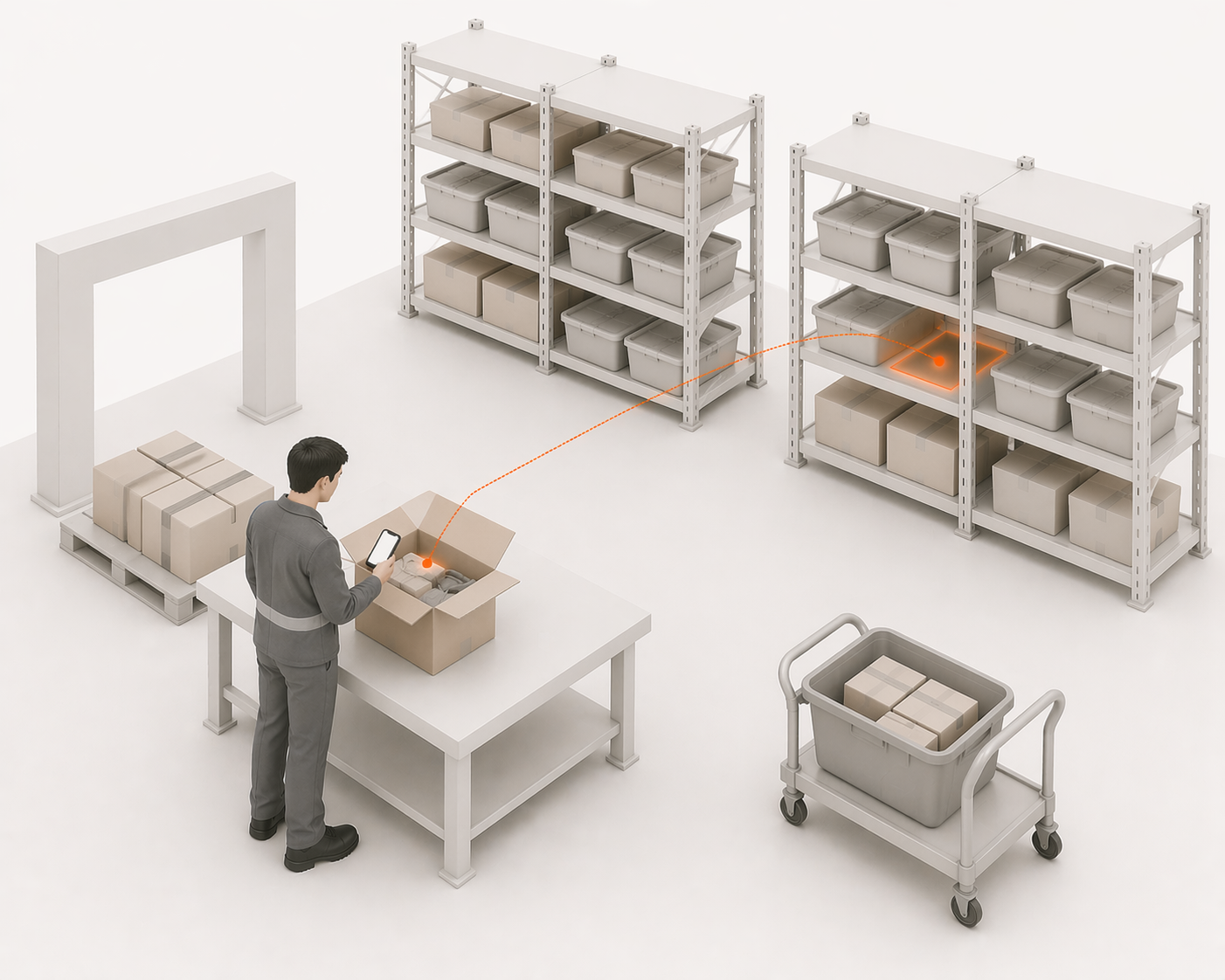
The correct process: every delivery is received against an open purchase order in your warehouse system. Each product is scanned as it comes off the pallet. The system confirms the quantity received against the quantity ordered and flags any discrepancy immediately — before the delivery driver leaves and before the stock goes to shelves.
4.Update Shopify at the point of scan, not end of day
Shopify's inventory count should update the moment a unit is confirmed received — not at the end of the shift when someone sits down to manually adjust stock levels. Real-time receiving means your Shopify store reflects accurate available stock within minutes of a delivery arriving, reducing the risk of overselling stock you have not yet received.
5.Stow to bin immediately after receiving
After receiving, every unit goes directly to its designated bin location. The bin location is confirmed in the warehouse system. Stock that sits in a receiving area waiting to be put away is stock that exists in Shopify but cannot be found by pickers — creating phantom stockouts and pick delays.
Foundation 3 — Pick and Pack Workflow
Pick and pack is where most warehouse errors occur and where most of the operational time is spent. A structured pick and pack workflow with verification at every stage eliminates the majority of errors before they become customer problems.
6.Single-order versus batch picking
For warehouses processing under 100 orders per day, single-order picking — one operator processes one complete order from pick to pack — is the most error-resistant approach. Each operator owns each order end-to-end. Errors are attributable and correctable.
For warehouses processing 100–500 orders per day, batch picking — one operator picks multiple orders simultaneously, sorting into separate totes — reduces travel time significantly. The trade-off is higher coordination complexity; batch picking requires a warehouse system to manage the multi-order sort.
7.Scan every pick before it goes in the box
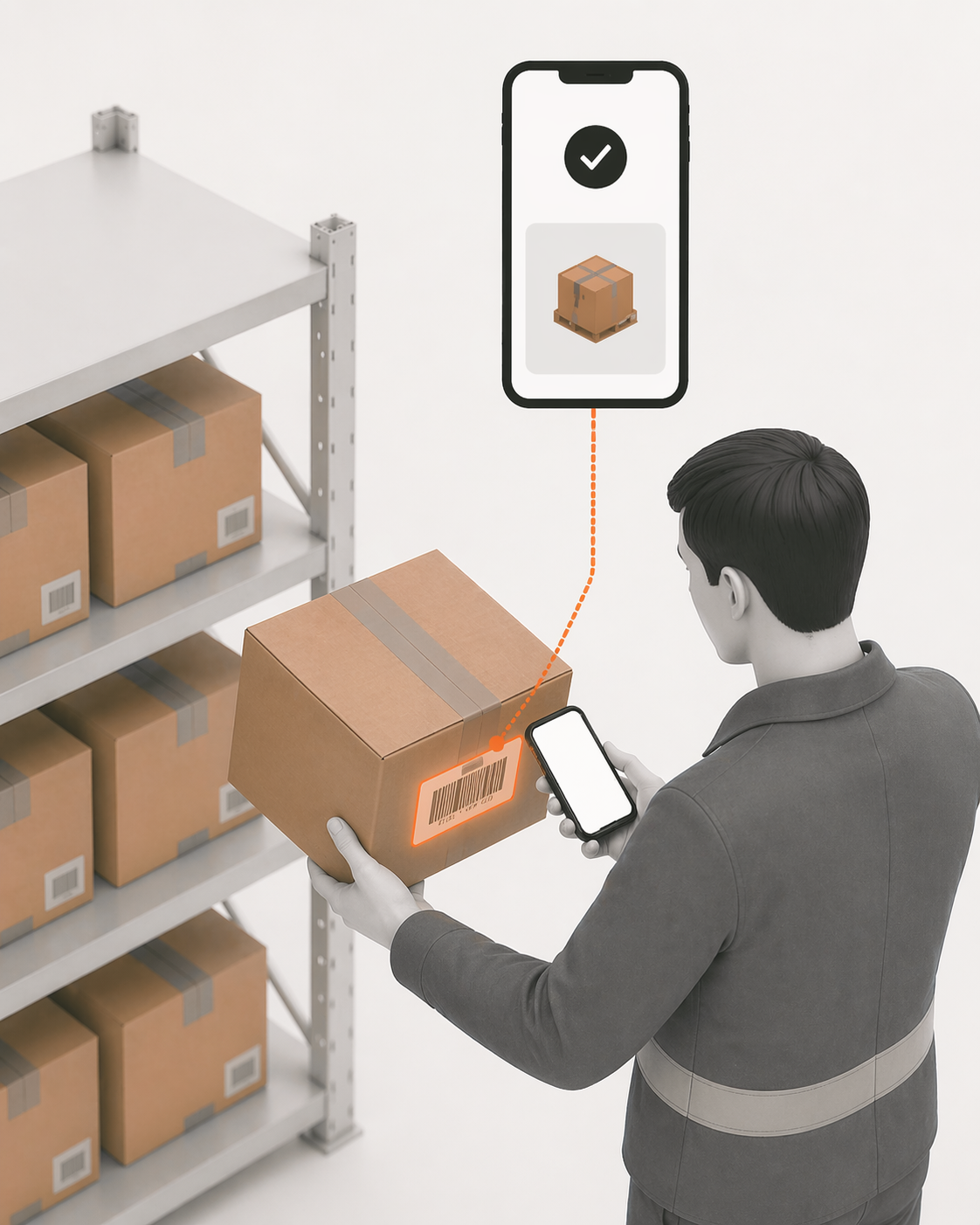
The single highest-impact change any warehouse can make to reduce errors is this: scan the barcode of every item before it goes into the shipping box. The warehouse system confirms whether the scanned item matches the order. If it does not match, the pick is rejected before the wrong item ships.
This single step eliminates wrong-item errors, wrong-variant errors (size, colour, flavour), and fitment errors for compatibility-dependent products. It takes approximately 3 seconds per item. The return rate reduction it produces pays for the time cost within days.
8.Pack verification and shipping cutoff discipline
After picking, packing should include a final count confirmation — especially for multi-item orders. The shipping label should not print until the packed order is confirmed complete in the warehouse system.
Shipping cutoff discipline — a fixed time after which orders are processed the following day — allows your team to clear the day's orders without the pressure of last-minute additions disrupting the workflow. Most carriers have pickup windows that naturally define this cutoff; formalise it and communicate it to your customer service team.
Foundation 4 — Returns Handling
Returns are the most neglected operational process in small Shopify warehouses. They accumulate in corners, get mixed with active stock, and create inventory discrepancies that are invisible until a stock count reveals the damage.
9.Process returns immediately — never accumulate
The rule is simple: a return that arrives and is not immediately processed is a unit that exists physically but not in Shopify. Every unprocessed return is an inventory discrepancy waiting to cause a stockout or an oversell.
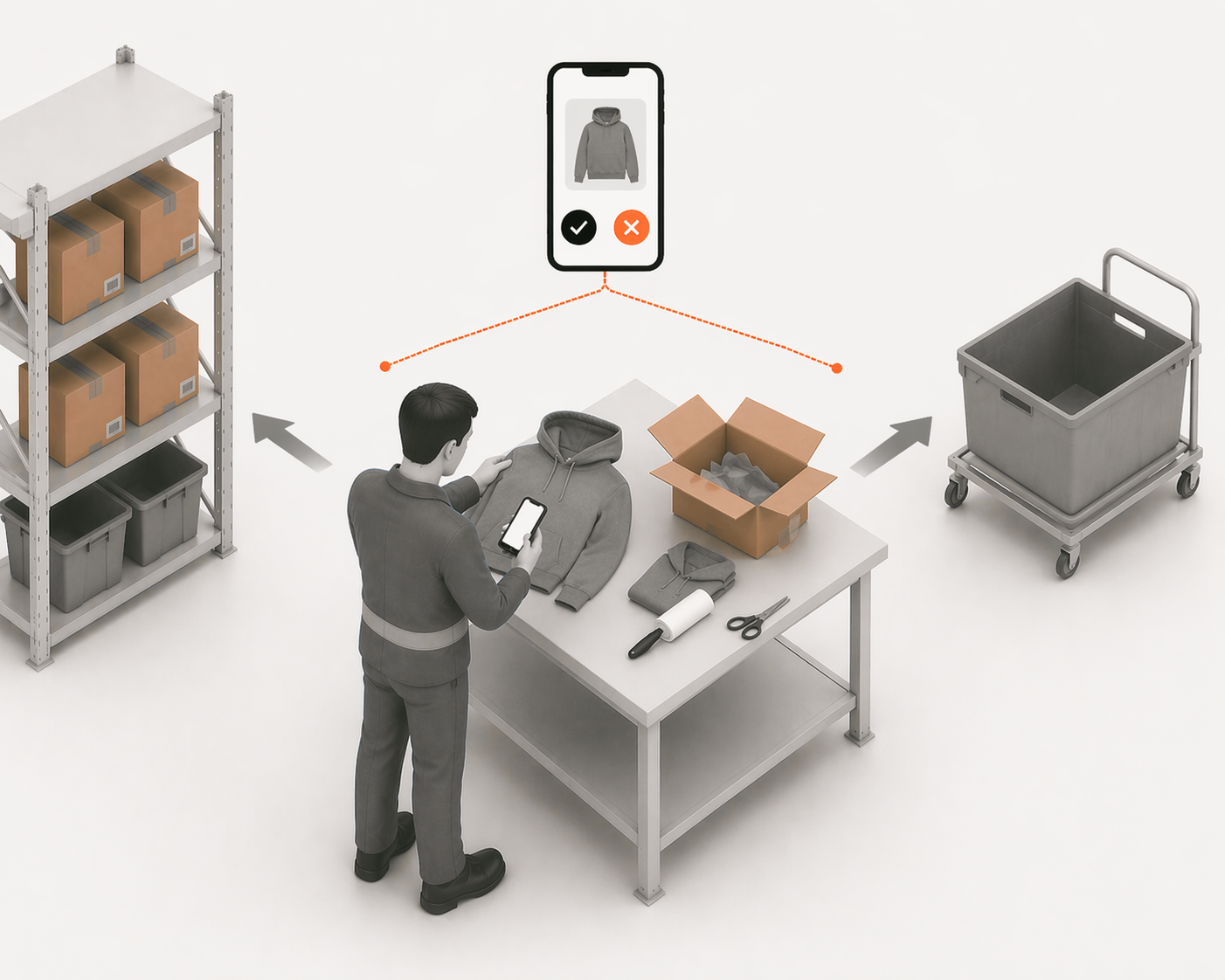
The returns process should take under 5 minutes per item:
- Inspect the returned unit — resaleable, damaged, or defective
- Scan the item into the warehouse system with the return reason
- If resaleable: Shopify increments immediately, unit goes to bin
- If damaged or defective: Shopify does not increment, unit goes to write-off area
10.Capture return reasons systematically
Every return should be categorised with a reason: wrong item ordered, wrong item sent, damaged in transit, product defect, not as described, changed mind. This data, aggregated over time, reveals operational patterns — a rising wrong-item-sent rate indicates a pick accuracy problem; a rising damaged-in-transit rate indicates a packing quality problem; a rising not-as-described rate indicates a product page accuracy problem.
Return reason data is operational intelligence. Capturing it costs nothing. Not capturing it means every operational problem announces itself through the financial impact of returns rather than through the early warning of data.
Foundation 5 — Daily Operational Rhythm
The final foundation is the daily routine that keeps everything else functioning — the operational heartbeat of a well-run small warehouse.
11.Morning brief — 15 minutes before picking starts
Before any picks are assigned, the warehouse lead reviews:
- Orders received overnight and their priority (B2B accounts, expedited shipping)
- Stock risk alerts — which SKUs are below safety stock or have less than 7 days of stock at current velocity
- Incoming deliveries expected today and which purchase orders they fulfil
- Any unresolved discrepancies from the previous day
This 15-minute review prevents the reactive firefighting that characterises poorly-run warehouses — where problems are discovered during the shift rather than before it begins.
12.Pick window — order cutoff discipline
All orders received before the cutoff are picked and packed in a single coordinated window. Orders are assigned to operators based on zone expertise or batch routing. Every pick is scan-verified. Every packed order is confirmed before the shipping label prints.
The pick window has a defined end time that aligns with your carrier pickup. After the pickup, the next day's window begins.
13.Receiving and returns windows
Dedicate specific times to receiving and returns processing — do not let them interrupt the pick window. Deliveries arriving during the pick window go to a staging area and are received immediately after the pick window closes. Returns are processed in a dedicated daily window, never left to accumulate.
14.End-of-day check
Before the warehouse closes:
- Confirm all dispatched orders are marked as fulfilled in Shopify
- Review any pick exceptions or system flags from the day
- Check tomorrow's order volume and adjust staffing if needed
- Confirm any purchase orders due tomorrow and verify receiving capacity
This 10-minute check prevents the small problems that compound into large ones — the unfulfilled order that was packed but not scanned, the return that was inspected but not processed, the delivery due tomorrow that nobody knew about.
The Systems That Make This Work
Every process in this playbook can be run manually at low volume. A single operator with a spreadsheet, good organisation, and disciplined habits can maintain accurate inventory and consistent pick quality up to approximately 30–50 orders per day.
Above that threshold, the manual approach breaks down — not because the operator stops caring, but because the volume of movements, decisions, and verifications exceeds what human memory and attention can reliably track.
The system requirements for a small Shopify warehouse are not complex:
- Shopify connection via OAuth — inventory updates in real time from every scan, no CSV exports or manual adjustments
- Mobile-first interface — operators work on the warehouse floor, not at a desktop; the system must work on a phone or tablet with camera-based scanning
- Purchase order management — receive against POs, not delivery notes; discrepancies flagged at delivery
- Pick and pack with scan verification — every pick confirmed against the order before the item goes in the box
- Returns processing — immediate Shopify update at point of decision, return reason captured systematically
- Demand intelligence — days-of-stock per SKU at current velocity, not just static stock count
This is not enterprise WMS territory. It is the operational layer that any serious Shopify merchant running their own warehouse needs — and that the market has historically underserved at SMB scale.
LaSyncro is the operational layer that makes everything in this guide work — connected to Shopify in 60 seconds.
Start free