Most Shopify inventory problems do not start on the product page. They start in the warehouse.
A delivery is received against the wrong purchase order. A returned item is placed back on the shelf without inspection. A picker takes the right product from the wrong bin. A damaged unit sits in a corner without being blocked from sale.
Shopify still shows a number. The shelf tells a different story.
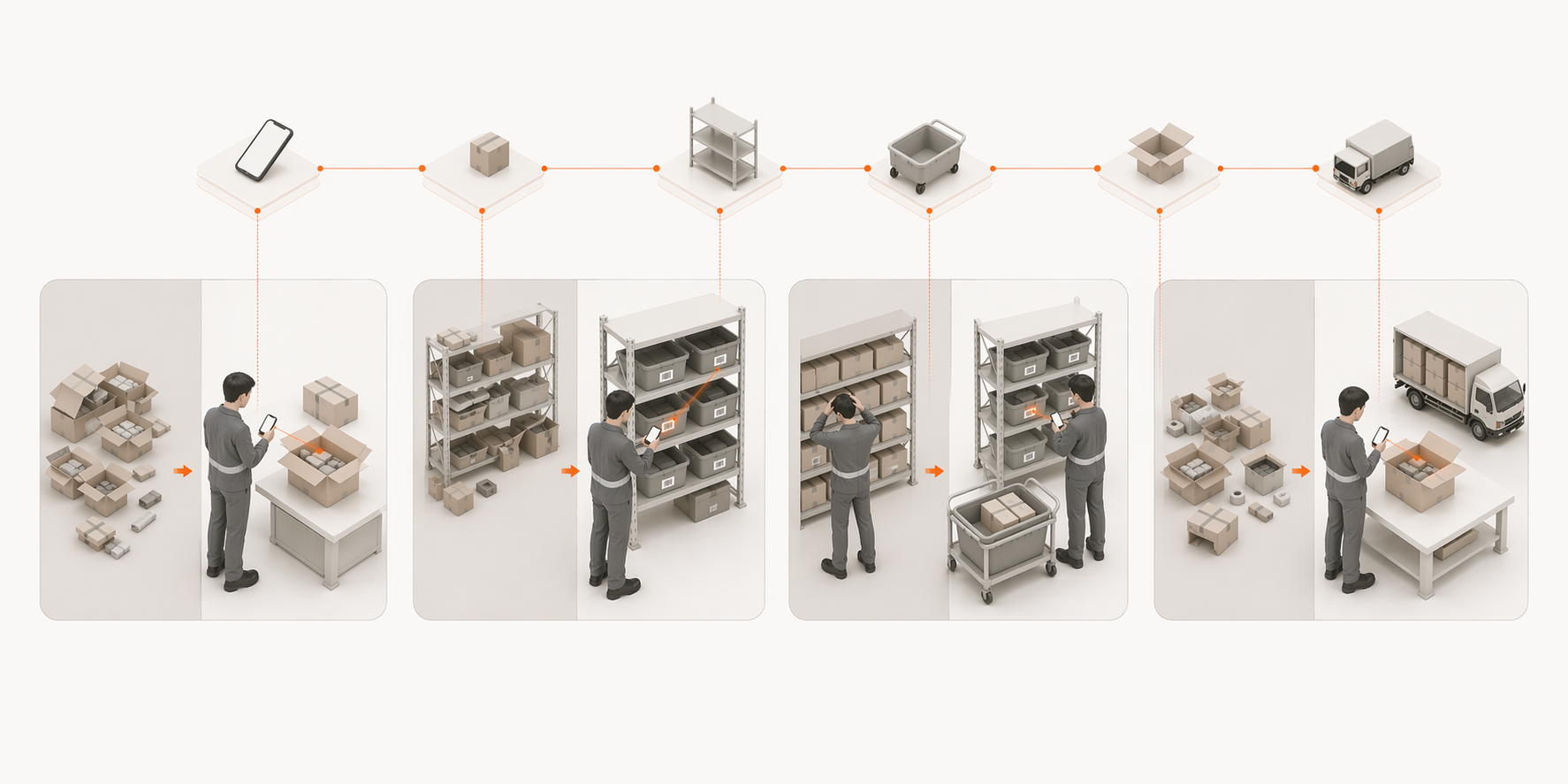
That is why a Shopify warehouse workflow matters. It gives your team a clear operating path from the moment stock enters the building to the moment an order leaves for the customer.
What a Shopify warehouse workflow actually includes
A simple Shopify warehouse workflow should answer seven questions:
- What arrived?
- Was it checked against the purchase order?
- Where did it go?
- Is it sellable?
- Who picked it?
- Was it packed correctly?
- Did it leave before the carrier cutoff?
Shopify helps with product records, inventory quantities, locations, and order status. But the warehouse still needs a process for the physical work.
That process usually looks like this:
- Inbound dock
- Receive zone
- Stow zone
- Pick zone
- Pack stations
- Shipping dock
- Customer
Returns and problem items need their own path too, because not every unit entering the warehouse is ready to sell.
1. Inbound dock: where stock and returns enter
The inbound dock is where warehouse accuracy starts.
For a Shopify merchant, inbound stock usually comes from two sources:
- supplier deliveries
- customer returns
Those two flows should not be treated the same.
Supplier stock needs to be checked against a purchase order. Customer returns need to be inspected before they are made available again. Mixing them together creates confusion fast, especially in a small warehouse where one person might receive, stow, pick, and pack in the same day.
Nothing enters the warehouse silently.
Every box, case, return, or damaged unit should become visible in the system before it moves deeper into the operation.
2. Receive zone: supplier stock checked against the PO
Receiving is the highest-leverage step in the warehouse.
If a supplier sends 96 units and your team receives 100, Shopify may look correct for a few days. But the error is already born. Later, the team will blame picking, packing, Shopify, or the customer.
The real mistake happened at receiving.
A good receive zone checks:
- expected SKU
- received quantity
- damaged units
- wrong variants
- missing items
- supplier shipment reference
For Shopify teams, receiving should not be a checkbox that says "delivery arrived." It should be the moment stock becomes trusted.
When receiving is scan-verified, each unit can be linked back to the supplier delivery it came from. That makes future issues easier to trace.
3. Returns zone: customer returns inspected before restock
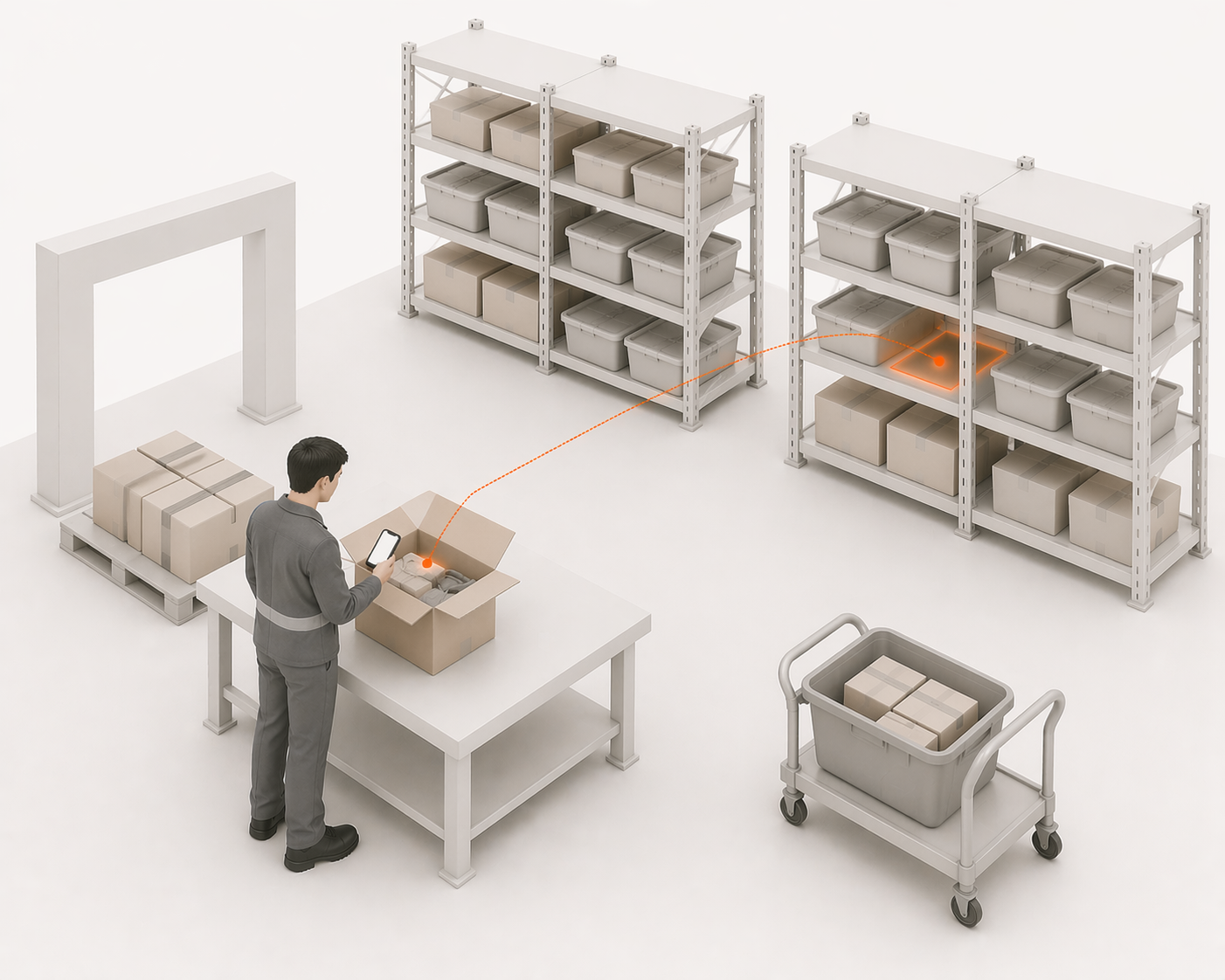
Returns are not the same as supplier deliveries.
A returned item might be:
- sellable
- damaged
- opened
- wrong variant
- missing packaging
- sent back for a reason that should be tracked
If every return goes straight back to the shelf, your Shopify stock count may increase while your actual sellable stock does not.
That creates ghost inventory.
A returns zone protects the operation by forcing a decision:
Can this item be sold again, or should it be blocked?
Sellable returns can move back into pickable stock. Damaged or uncertain returns should move into a problem area instead of polluting inventory.
4. Stow zone: stock becomes findable
Receiving tells you what arrived. Stowing tells your team where it lives.
This is where many small Shopify warehouses start to break. The team knows the product is "somewhere." The experienced picker can usually find it. The new operator cannot.
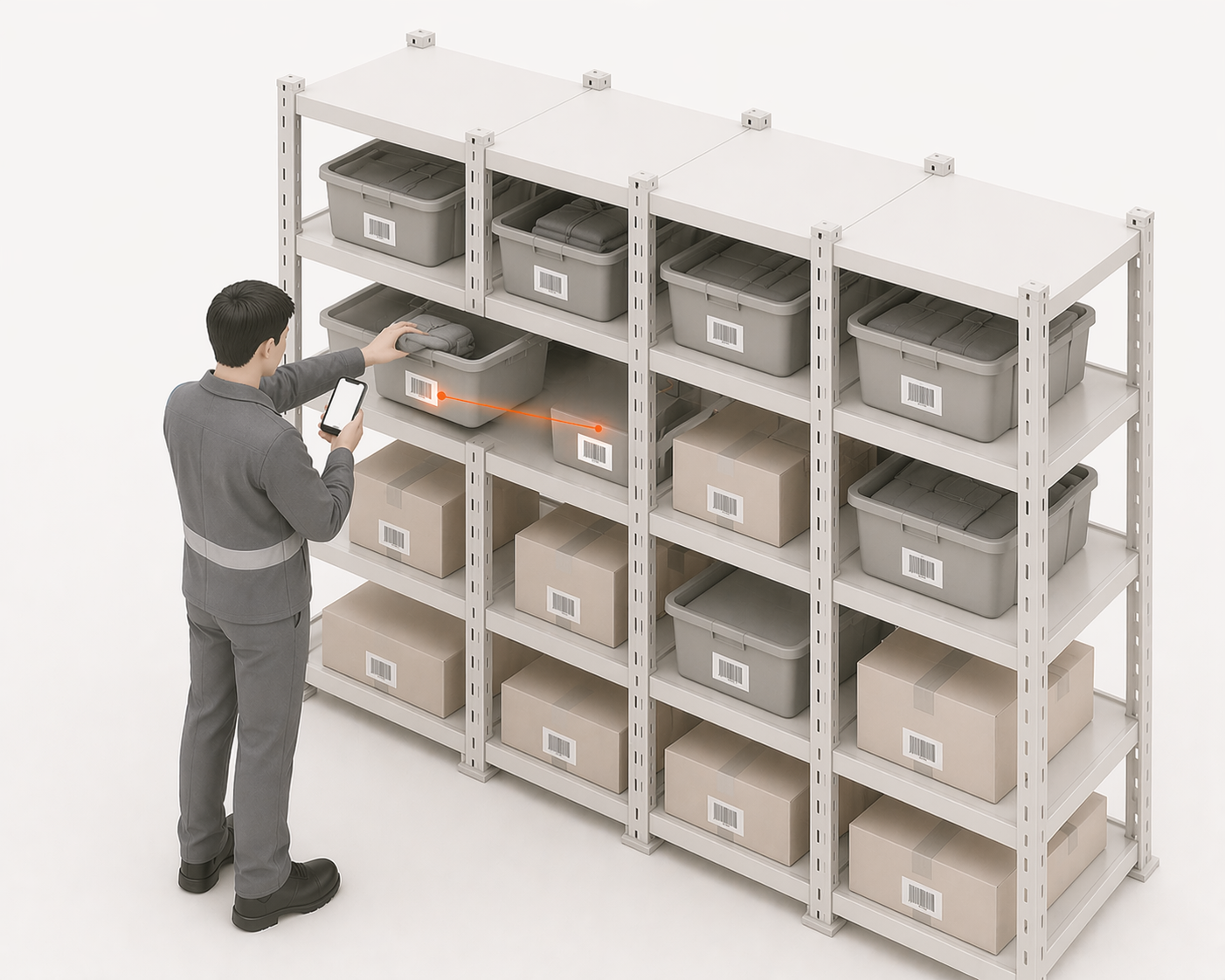
A good stow workflow records a shelf, bin, bay, or location for every sellable unit.
That creates three benefits:
- operators stop searching
- new team members ramp faster
- Shopify stock becomes easier to trust because the warehouse can actually find what Shopify says exists
For small teams, location control does not need to be enterprise-heavy. It just needs to be consistent.
A simple location like A-03-B is often enough if the team scans or records it every time stock moves.
5. Problem center: exceptions need a place to live
Every warehouse has exceptions.
The difference between a controlled warehouse and a chaotic one is whether exceptions have a clear path.
Problem items include:
- damaged supplier stock
- wrong variants
- short deliveries
- unclear returns
- products found in the wrong location
- items picked but later rejected at packing
If these items sit outside the normal workflow, they become invisible. Someone remembers them for a day, then forgets. Shopify continues showing a clean count while the real warehouse has unresolved stock.
A problem center gives those exceptions a home.
The goal is not to make problems disappear. The goal is to make sure they do not silently re-enter sellable stock before they are resolved.
6. Pick zone: sellable stock becomes customer work
Picking is where inventory accuracy meets customer promise.
If the receive and stow steps are weak, picking becomes a search mission. If stock locations are clear, picking becomes execution.
A good Shopify picking workflow should show:
- which orders are ready to pick
- where each item is located
- which SKU and variant should be picked
- whether the operator scanned the right item
- whether the picked quantity matches the order
This is where many Shopify merchants discover the gap between "inventory tracking" and "warehouse management."
Shopify can say that an item is in stock. Your picker still needs to know exactly where to go and whether the product in their hand is correct.
7. Pack stations: final check before the customer sees the mistake
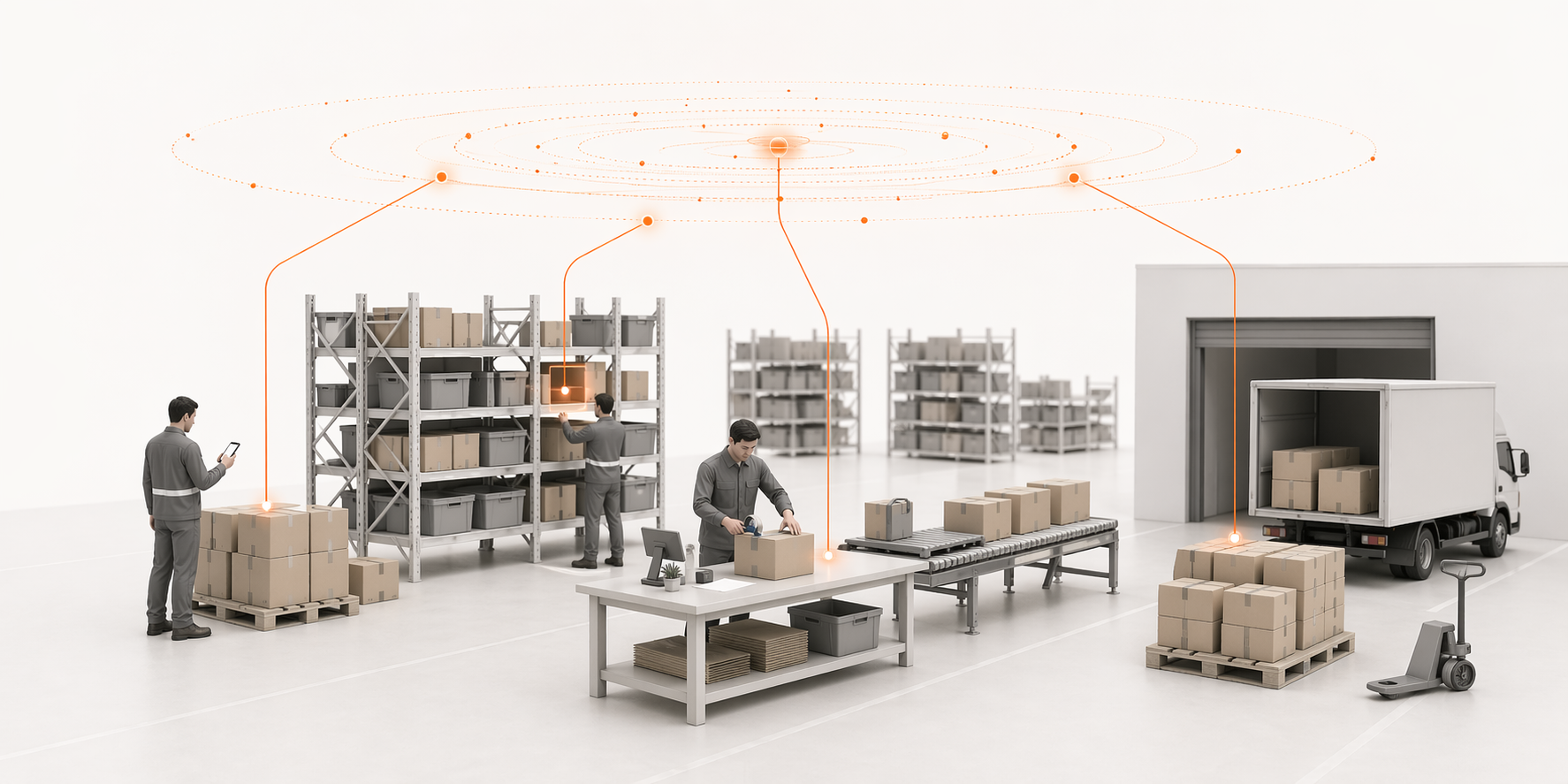
Packing is the last internal quality gate.
By the time an order reaches the pack station, the team should verify:
- correct items
- correct quantity
- correct order
- correct packaging
- correct shipping label
Small teams often treat packing as a simple boxing step. But it is also the final chance to catch a wrong pick before the customer does.
A good packing workflow prevents warehouse mistakes from becoming customer service tickets.
8. Shipping dock: orders leave before carrier cutoff
The shipping dock is where warehouse work becomes customer experience.
If the order misses the carrier cutoff, it may still be packed, but it is late. That creates avoidable support messages, bad reviews, and SLA pressure.
A good shipping workflow shows:
- which parcels are ready
- which carrier they belong to
- which orders are close to cutoff
- which shipments are blocked
- what still needs action before the day closes
This matters because most small Shopify teams do not fail from one big warehouse mistake. They fail from small delays compounding through the day.
What Shopify tracks vs what the warehouse workflow controls
Shopify is the commerce system. It is not the full physical operating system for your warehouse.
Shopify can help track:
- products
- variants
- orders
- inventory quantities
- fulfillment status
- basic locations
Your warehouse workflow controls:
- receiving accuracy
- supplier shipment checks
- bin-level stock movement
- scan-verified picking
- returns inspection
- damaged stock handling
- packing verification
- shipping cutoff execution
That distinction matters.
If your team relies only on Shopify inventory numbers without a warehouse workflow behind them, the number can become detached from reality.
The simplest workflow for a small Shopify warehouse
For a 1–10 person warehouse team, the workflow does not need to be complicated.
Start with this:
- Receive everything against a PO
- Inspect returns before restocking
- Give every sellable item a location
- Move exceptions into a problem area
- Pick only from known locations
- Verify before packing
- Ship before carrier cutoff
That is enough to remove a lot of chaos.
The system does not need to feel like enterprise WMS software. It needs to make the right next step obvious for the operator doing the work.
How LaSyncro thinks about warehouse workflow
LaSyncro is being built around a simple belief:
The warehouse operator is not a side effect of the system. The operator is the source of operational truth.
Every receive, stow, pick, pack, return, and problem resolution should update the operational picture as the work happens.
That is what keeps Shopify, the warehouse shelf, and the customer promise in sync.
A clean warehouse workflow is not about adding more admin. It is about making sure every movement creates a reliable signal. For the specific tool options at this scale, see the best WMS for Shopify small business comparison.
Final takeaway
A Shopify warehouse workflow is the bridge between the number Shopify shows and the stock your team can actually find, pick, pack, and ship.
If your workflow is unclear, inventory drift is only a matter of time.
If your workflow is clear, every operator knows what to do next — and every scan brings Shopify closer to the truth on the shelf.
Join the LaSyncro early access list
Start free